Everyday user
Knows Windows well, has never programmed, and wants to stop doing the same six clicks every morning.
- Templates that work out of the box
- Plain words, no variables or logic needed
- One click to run
For Windows 10 and 11
Nimblio turns repetitive Windows tasks into workflows you build from plain-language blocks. Open apps and websites, tidy folders, rename files, show reminders. No code, and nothing leaves your PC.
Free during the preview · x64 installer · Windows 10 and 11
Tidy Downloads
Sorts old downloads into folders every weekday morning.
Start
Weekdays at 09:00
Get files in folder
Get files older than 14 days in Downloads
Sort files into folders by type
Sort Files into Downloads\Sorted
Write text to file
Add Current date to tidy-log.txt
Show notification
Show Downloads tidied
End of workflow
And useful for the ones who do. Nimblio is designed around three kinds of people.
Knows Windows well, has never programmed, and wants to stop doing the same six clicks every morning.
Uses PowerToys, shortcuts and the odd AutoHotkey snippet, and wants faster setup than scripting.
Handles invoices, backups and folder hygiene, and needs automation that is reliable and explainable.
A workflow is a vertical list of actions, never a node graph. Add one with the + on the line, search the library, or drag it in. Values from earlier steps appear as green chips, likeFiles or Current date.
Start it with a click, a keyboard shortcut, on a schedule, when you sign in, or when a file lands in a folder.
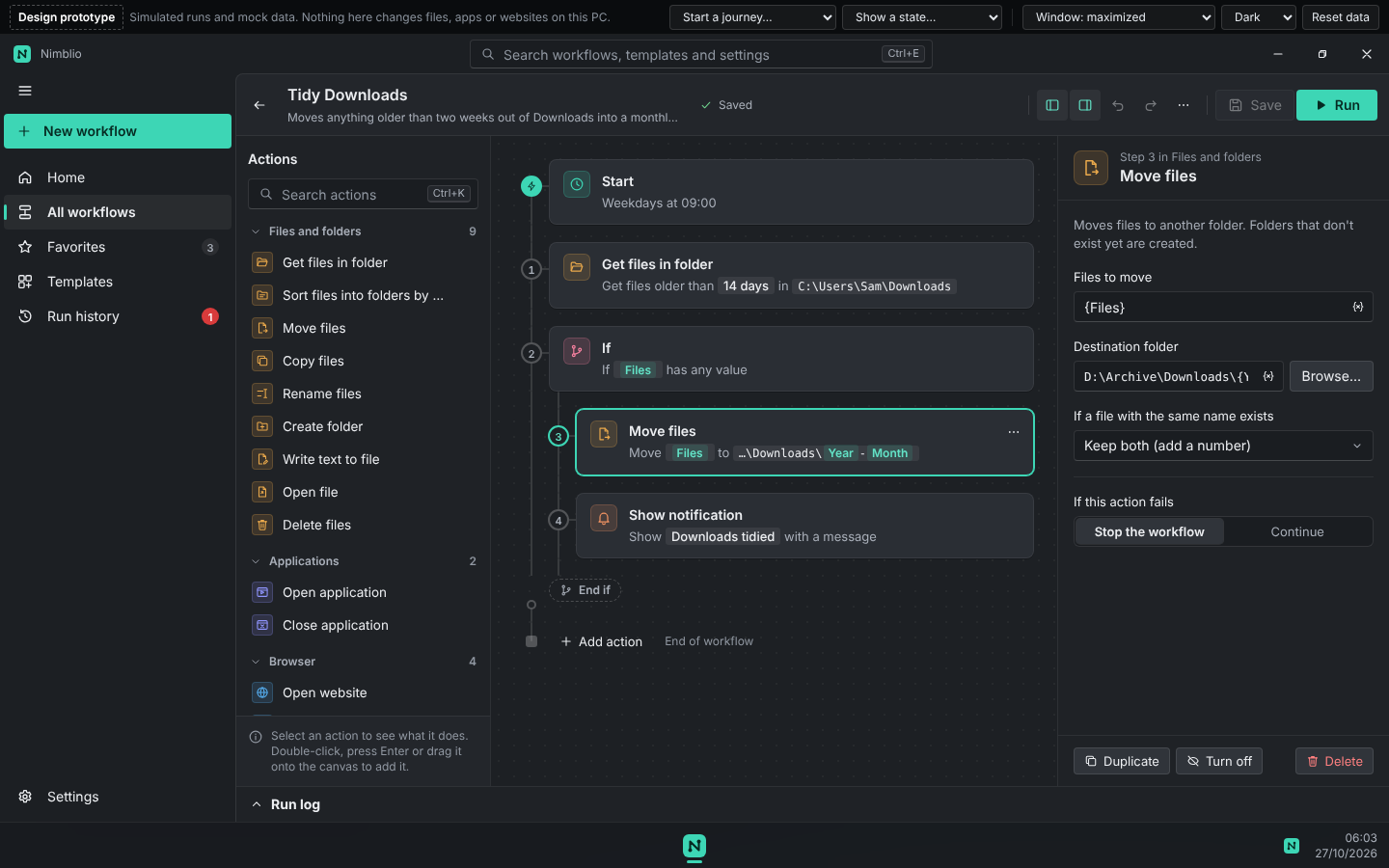
The editor, with the action library, the workflow and the selected action’s settings.
Automation you can trust is automation you can read.
Every action sums up its settings in a sentence, like “Move Files to D:\Archive”. Templates show what they read, change and never do before you add them.
Files go to the Recycle Bin unless you choose otherwise. Overwriting and permanent deletes are explained and confirmed first.
A failed run names the exact action, says what happened and how to fix it, and takes you back to that action in one click.
Workflows, run history and logs live on your computer. No account needed, and diagnostics are off unless you turn them on.
Nimblio includes an MCP server. Connect it to Claude Desktop or Claude Code, describe the task in plain words, and the workflow appears in Nimblio, turned off, ready for you to review.
The assistant can’t run, turn on or delete anything. Running is always your click.
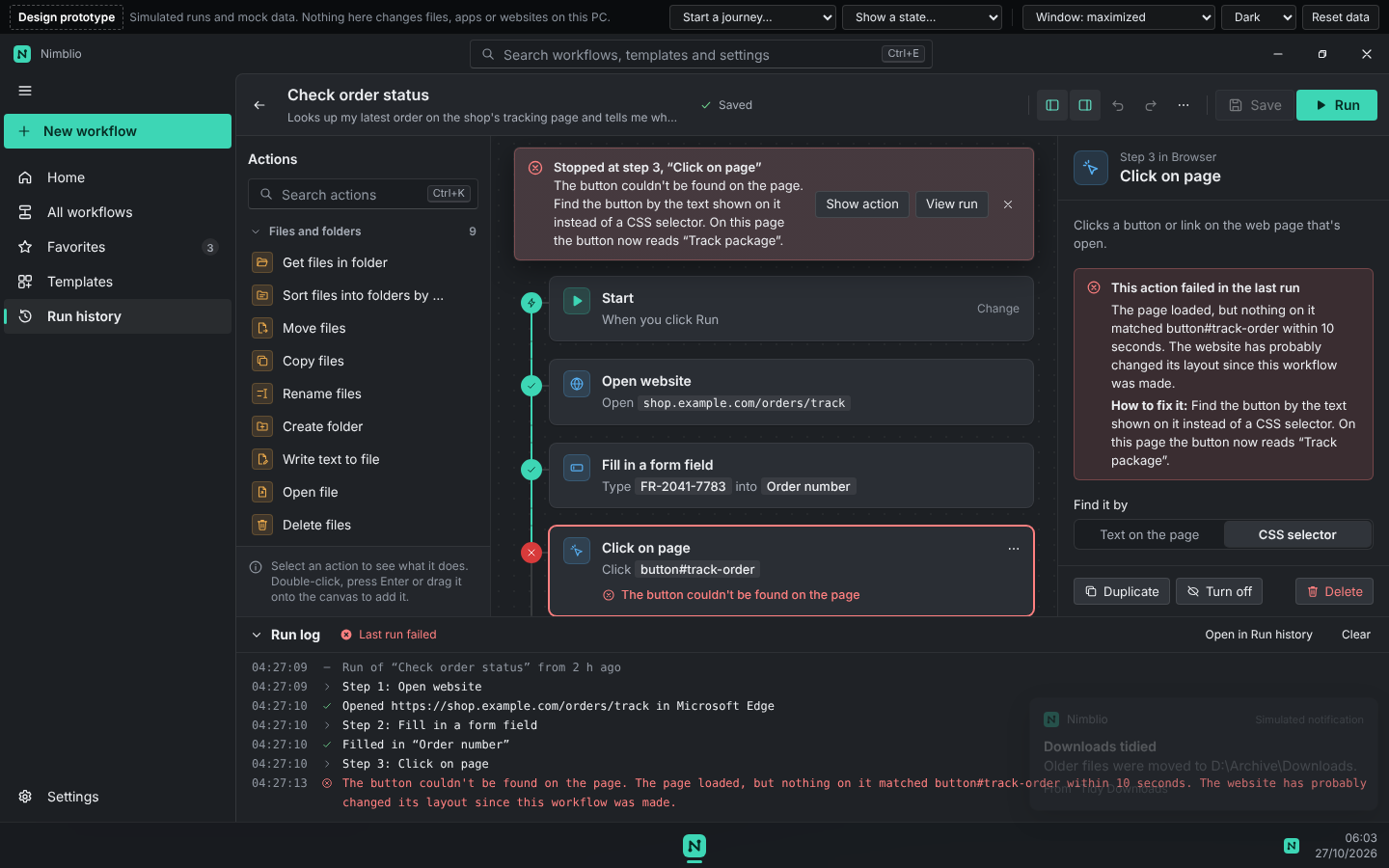
When something fails, Nimblio says what happened and how to fix it.
Free during the preview. The download page lists the checksum and what changed in each version.